
AssistITK12 is a web-based ticketing system designed to help school districts manage support requests, maintenance issues, and other technical problems. It's built with Flask and Bootstrap to provide a user-friendly and efficient solution.
- Issue Tracking: Create, manage, and track support tickets with status updates and comments.
- Ticket Assignment: Assign tickets to technicians and escalate when needed.
- File Attachments: Attach files to tickets for additional context.
- Email Notifications: Automated email alerts for ticket events (created, assigned, status changes, escalations, and new comments).
- User Management: Create and manage user accounts with role-based access control (Admin, Specialist, Technician).
- Organization Settings: Configure organization name, logo, and SMTP email settings with encrypted credential storage.
- Site Management: Manage multiple school locations and associate tickets and users to sites.
- Reporting: Generate reports to track trends and identify areas for improvement.
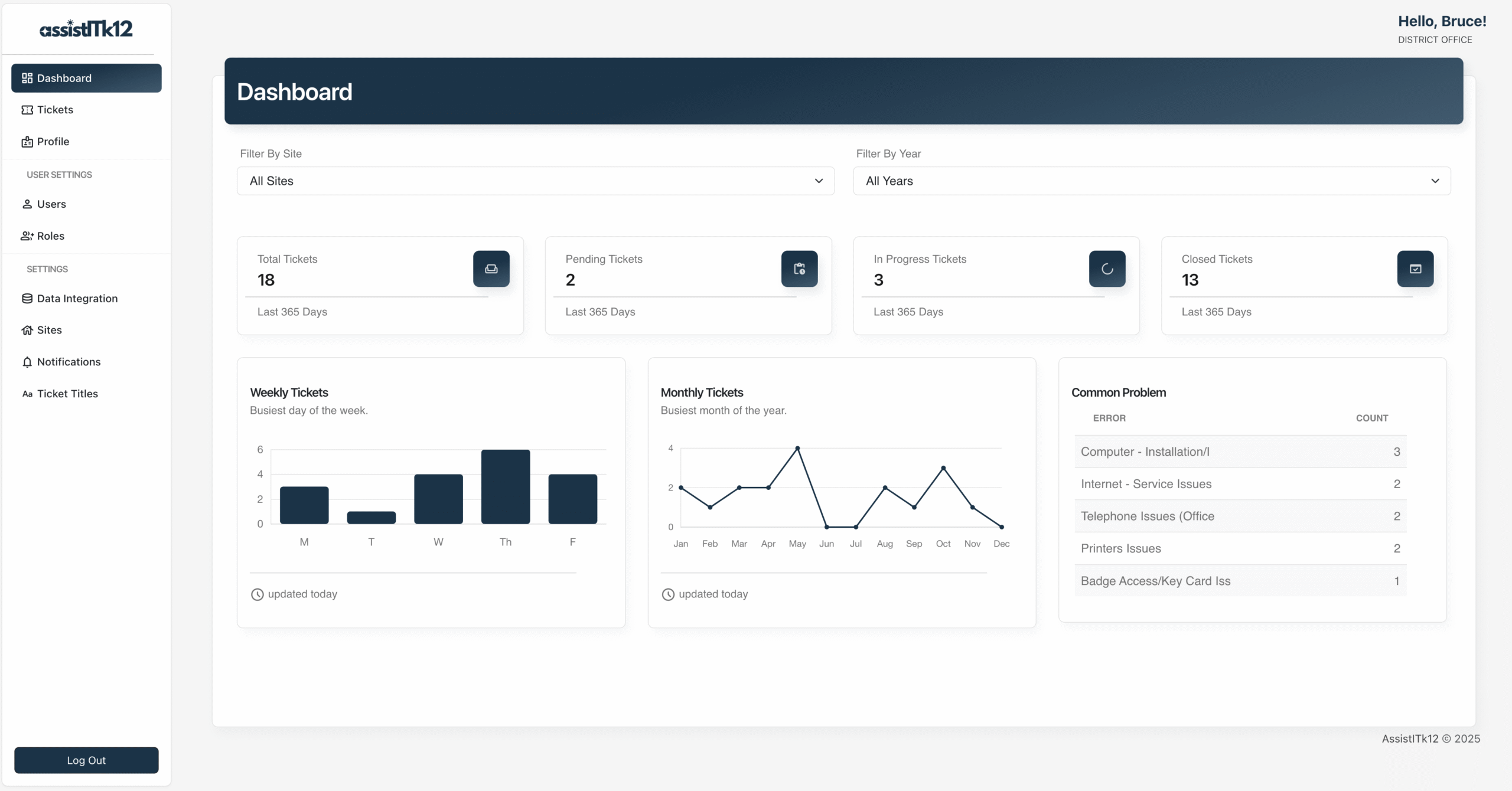
- Data Visualization: Charts and graphs to visualize common technical issues and trends.
- Notifications: Configurable system-wide notification messages.
- Bulk User Upload: Import multiple users at once via CSV file using a provided template.
- FTP Integration: Configure FTP connections and schedule automated file transfers with start/stop date support.
- Scheduled Jobs: Background task scheduler for automated operations such as FTP transfers.
- Login Lockout: Accounts are automatically locked after repeated failed login attempts.
- Encrypted User Emails: User email addresses are stored encrypted in the database.
- Python 3.13+
- Flask 3.1.2
- See pyproject.toml for a complete list of package dependencies
git clone https://github.com/victorhugo81/assistitk12cd assistitk12Choose the instructions appropriate for your OS.
Windows:
uv venv .venv.venv\Scripts\activateMacOS/Linux:
uv venv .venvsource .venv/bin/activateuv syncImportant: Don't commit your
.envfile to version control. Make sure it's added to.gitignoreto protect sensitive information.
These scripts create:
- Default ticket statuses (Open, In Progress, Completed)
- Priority levels (Low, Medium, High, Critical)
- Common issue categories
- An
.envfile containing configuration settings and secrets such as API keys, database credentials, or Flask settings outside your source code
1. Create .env file and MySQL database
This script will create a file named .env in your project's root directory. Edit the generated .env to use your actual database values.
cd installationpython create_env.py# .env file
# An Application SECRET_KEY is a randomly generated string of characters used for security purposes.
SECRET_KEY=your_secure_random_key_here
# Database Connection URI
DATABASE_URL=mysql+pymysql://username:password@localhost/assistitk12
2. Seed database with initial app data
Run the seed script to populate the database with initial data (including status types, priority levels, and categories):
python seed_data.pycd ..flask --app main.py runOpen a web browser and navigate to the URL displayed in your terminal (usually http://127.0.0.1:5000/).
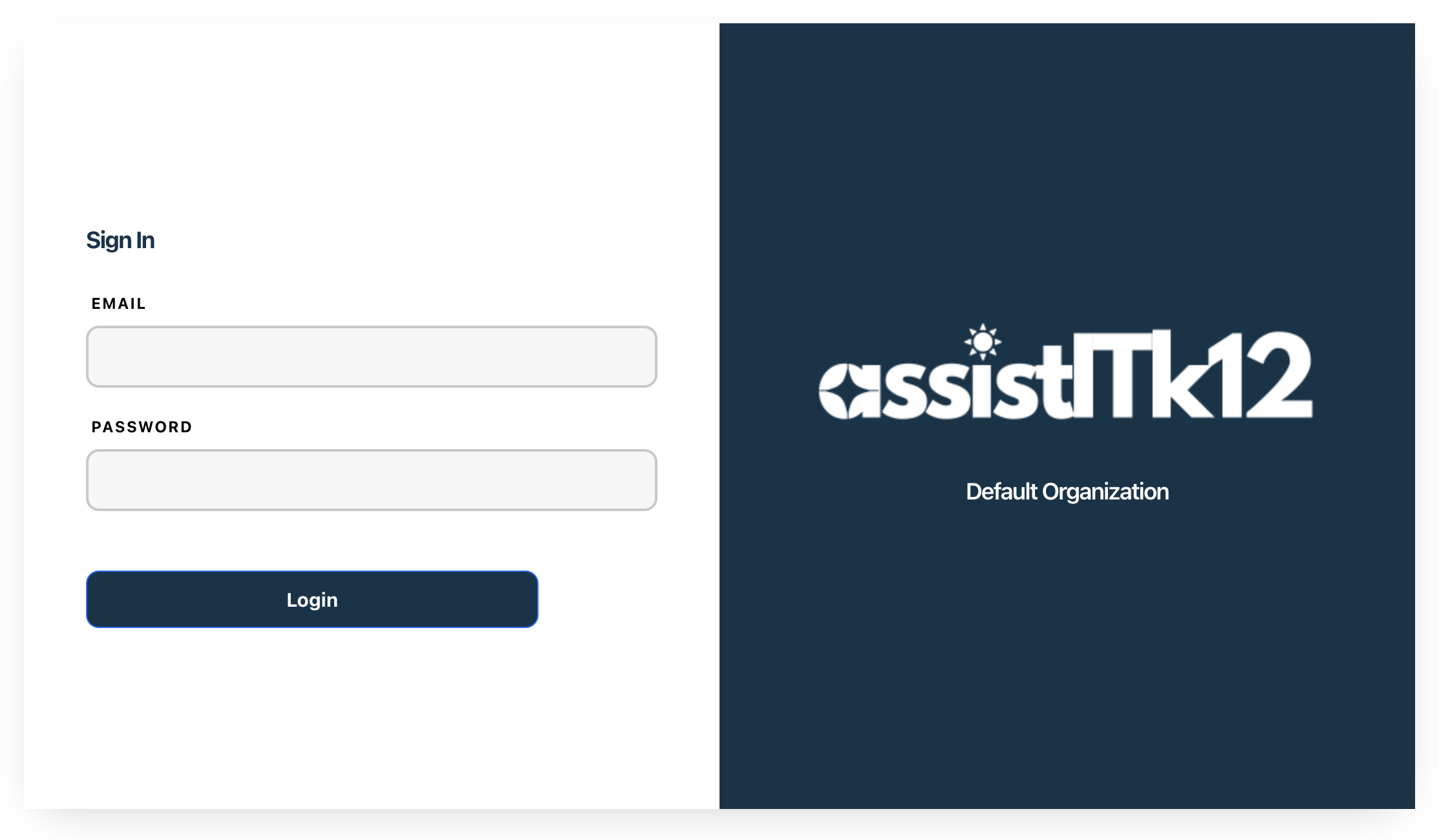
Enter the admin email and password you previously configured.
- Password must be at least 12 characters long and contain uppercase letters, lowercase letters, numbers, and special characters.
The dashboard provides an overview of all tickets, their statuses, and key metrics to help identify trends and areas for improvement.
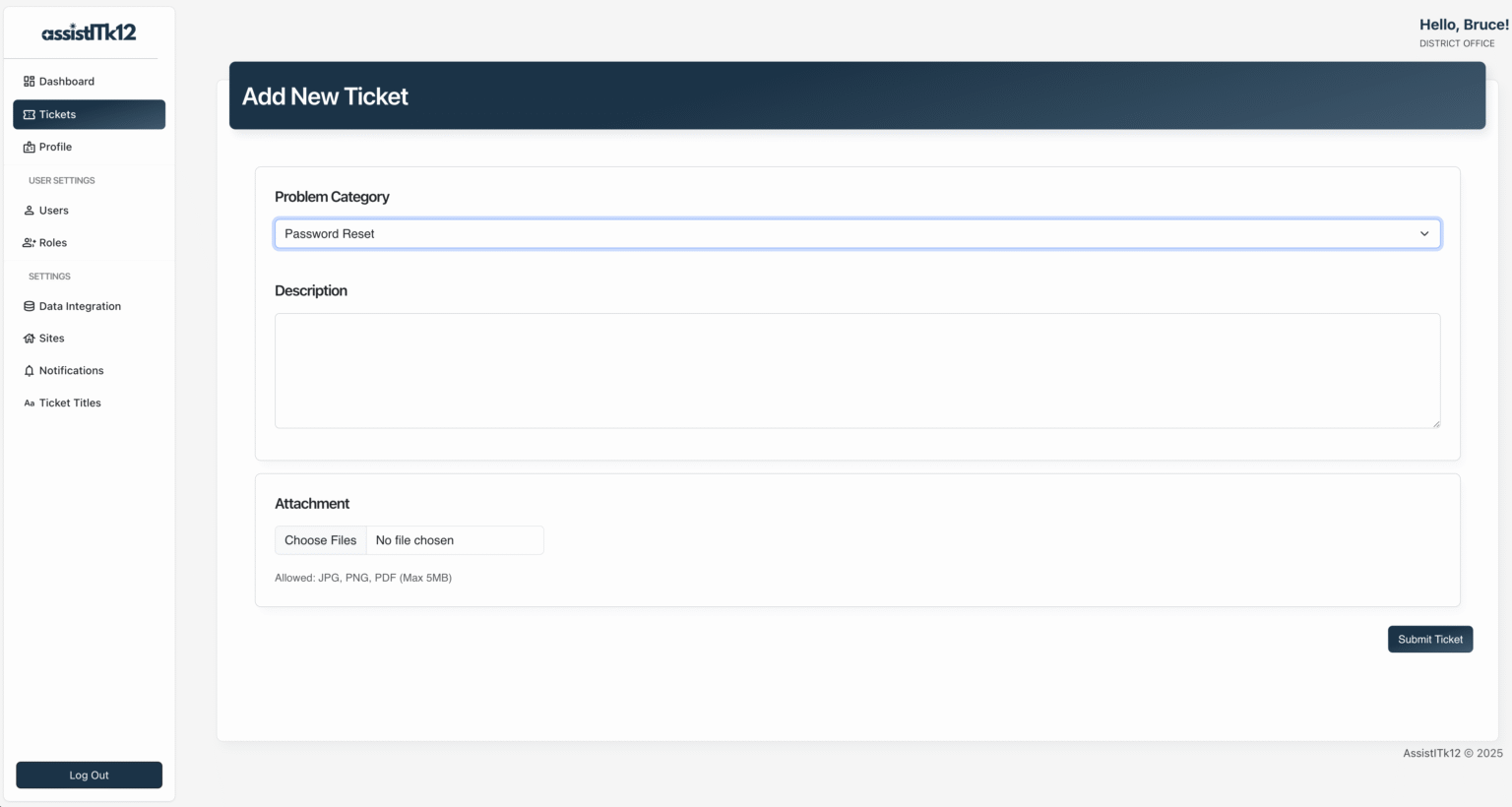
- Click on Tickets in the sidebar
- Click the "Add Ticket" button
- Fill in the required details
- Click the "Submit Ticket" button
- Ensure your MySQL server is running
- Verify the credentials in your
.envfile - Check that the specified database exists
If you encounter database migration errors:
flask db upgradeIf you encounter missing module errors:
uv syncAssistITK12 includes the following security measures:
- Login rate limiting — brute force protection via Flask-Limiter (10 attempts/min per IP).
- Login lockout — accounts are automatically locked after repeated failed login attempts.
- Account status enforcement — inactive users cannot authenticate.
- CSRF protection — all forms are protected using Flask-WTF.
- Password hashing — passwords are hashed using werkzeug's secure default (scrypt).
- Password complexity — minimum 12 characters with uppercase, lowercase, number, and special character required.
- Temporary password enforcement — bulk-uploaded users receive a random temporary password and must change it before accessing the application.
- Encrypted SMTP credentials — email passwords are stored encrypted using Fernet symmetric encryption.
- Encrypted user emails — user email addresses are stored encrypted in the database using Fernet symmetric encryption.
- Role-based access control — routes are protected based on user role (Admin, Specialist, Technician).
For production environments:
-
Use a production WSGI server like Gunicorn:
uv add gunicorn gunicorn -w 4 "main:create_app()" -
Set up a reverse proxy with Nginx or Apache
-
Update your
.envfile with production settings:SECRET_KEY=your_strong_random_key_here DATABASE_URL=mysql+pymysql://username:password@localhost/assistitk12 RATELIMIT_STORAGE_URI=redis://localhost:6379/0Note: In production, set
RATELIMIT_STORAGE_URIto a Redis instance. The default in-memory storage does not persist across restarts or scale across multiple workers.
We welcome contributions from the community!
- Fork the repository
- Create a new branch:
git checkout -b feature-branch
- Make your changes and commit them:
git commit -m "Description of your changes" - Push to the branch:
git push origin feature-branch
- Create a pull request on GitHub
AssistITK12 is licensed under the GNU General Public License v3. See the LICENSE file for more details.
For questions or suggestions, please open an issue on GitHub or contact me at contact@victorhugosolis.com.
AssistITK12 is still under development and may contain bugs or limitations. We are committed to improving the software and welcome your feedback.
assistitk12/
├── application/
│   ├── __init__.py
│   ├── models.py
│   ├── forms.py
│   ├── routes.py
│   ├── utils.py
│   ├── email_utils.py
│   ├── scheduled_jobs.py
│   ├── static/
│   │   ├── css/
│   │   ├── download/
│   │   │   └── user_bulk_template_upload.csv
│   │   ├── js/
│   │   ├── img/
│   │   └── uploads/
│   └── templates/
│       ├── includes/
│       │   ├── footer.html
│       │   └── nav.html
│       ├── add_notification.html
│       ├── add_role.html
│       ├── add_site.html
│       ├── add_ticket.html
│       ├── add_title.html
│       ├── add_user.html
│       ├── base.html
│       ├── bulk_upload_data.html
│       ├── change_password.html
│       ├── edit_notification.html
│       ├── edit_role.html
│       ├── edit_site.html
│       ├── edit_ticket.html
│       ├── edit_title.html
│       ├── edit_user.html
│       ├── error.html
│       ├── index.html
│       ├── login.html
│       ├── notifications.html
│       ├── organization.html
│       ├── profile.html
│       ├── roles.html
│       ├── sites.html
│       ├── tickets.html
│       ├── titles.html
│       └── users.html
├── migrations/
│   └── versions/
├── tests/
│   ├── conftest.py
│   ├── test_auth.py
│   ├── test_crud.py
│   ├── test_security.py
│   ├── test_tickets.py
│   └── test_users.py
├── installation/
│   ├── create_env.py
│   └── seed_data.py
├── main.py
├── config.py
├── pyproject.toml
├── CHANGELOG.md
├── CODE_OF_CONDUCT.md
└── uv.lock