



Djot markup language support for JetBrains IDEs (PhpStorm, IntelliJ IDEA, WebStorm, etc.).
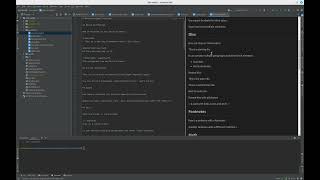
- Syntax highlighting via TextMate grammar
- Live preview panel (split editor view)
- IDE theme sync - preview follows dark/light mode
- Code highlighting - syntax highlighting in code blocks (highlight.js)
- Export to HTML - full Djot rendering via embedded djot.js
- Live Templates - code snippets for common Djot patterns
- Tool window for standalone preview
- File type recognition for
.djotfiles
- JetBrains IDE 2024.1+
- Java 17+
- In your IDE: Settings → Plugins → Marketplace
- Search for "Djot"
- Click Install
Or install directly: JetBrains Marketplace
- Download the latest release from GitHub Releases, or build it yourself:
./gradlew buildPlugin
- In your IDE: Settings → Plugins → ⚙️ → Install Plugin from Disk
- Select the
djot-intellij-*.zipfile (inbuild/distributions/if built locally) - Restart the IDE
- Open any
.djotfile - Editor opens in split view (editor + preview)
- Preview updates live as you type
- Right-click for "Export to HTML" option
- Use
Ctrl+Shift+Dto toggle preview tool window
Type a prefix and press Tab to expand. Available templates:
| Prefix | Description |
|---|---|
djh1-djh6 |
Headings |
djb, dji, djc |
Bold, italic, code |
djhi, djsup, djsub |
Highlight, superscript, subscript |
djins, djdel |
Insert, delete |
djlink, djlinkref, djimg |
Links and images |
djcode, djraw |
Code blocks |
djquote, djdiv, djhr |
Blockquote, div, horizontal rule |
djul, djol, djtask, djdef |
Lists |
djtable |
Table |
djfn, djfndef |
Footnotes |
djmath, djmathblock |
Math |
djattr, djid, djspan |
Attributes |
djfront |
YAML frontmatter |
djcomment |
Comment block |
The plugin supports two rendering engines, configurable via Settings > Tools > Djot:
Uses djot.js for accurate Djot rendering with:
- Code syntax highlighting (highlight.js)
- IDE theme synchronization (dark/light)
- Task list checkboxes
- Full Djot feature support
- No additional dependencies required
Uses php-collective/djot for rendering via PHP CLI:
- Requires PHP installed on your system
- Requires
php-collective/djotinstalled in your project:composer require php-collective/djot
- Useful for consistency with PHP-based projects
- Uses the package's
vendor/bin/djotCLI when present, falling back to a built-in inline converter for older versions - Supports custom converter scripts
Djot is a lightweight markup language created by John MacFarlane (creator of Pandoc). It improves on Markdown with:
- Consistent, unambiguous parsing rules
- Better syntax for highlights, super/subscript, attributes
- No backtracking required during parsing
- Djot specification
- djot.net - Official site
- djot-php - PHP implementation
- djot-grammars - Djot syntax grammars (TextMate, highlight.js, Prism.js)
Building, running, and the release/publishing process are documented in docs/development.md. For contributing (setup, project structure, grammar updates, testing), see CONTRIBUTING.md.