




RepoDB is a high-performance data productivity platform for .NET developers. At its core is the popular hybrid-ORM library for .NET.
RepoDB is best for simplifying data layer implementations, processing millions of records, and integrating multiple data sources. It provides the flexibility to work the way you want—all through the IDbConnection interface.
Write raw SQL when you need absolute control, or use the fluent APIs for more productivity. You can switch seamlessly between both approaches without sacrificing performance or maintainability.
Every operation is an extension method of IDbConnection interface. Simply open a connection and you can start working with your database — no need for repositories to scaffold, no context classes, no code generation.
using (var connection = new SqlConnection(ConnectionString))
{
    var id = connection.Insert<Customer>(new Customer { FirstName = "John", LastName = "Doe" }); // Insert
    var customer = connection.Query<Customer>(c => c.Id == id).FirstOrDefault(); // Query
    customer.LastName = "Smith"; // Set
    connection.Update<Customer>(customer); // Update
    connection.Delete<Customer>(10045); // or connection.Delete<Customer>(customer); // Delete
}
Moving million of rows at once? Add the .BulkOperations package for your provider (e.g. RepoDb.SqlServer.BulkOperations) and use the same connection:
using (var connection = new SqlConnection(ConnectionString))
{
    var customers = GetCustomers(); // thousands or millions of rows
    connection.BulkInsert<Customer>(customers);
    connection.BulkMerge<Customer>(customers, qualifiers: e => new { e.LastName, e.DateOfBirth });
}
You can do this in all supported DB providers.
| Project | Nuget | Downloads | Status |
|---|---|---|---|
| Core | |
 |
 |
| SQL Server |  |
 |
|
| SQL Server (Bulk) |  |
 |
 |
| Oracle 🆕 |  |
 |
 |
| Oracle (Bulk) 🆕 |  |
 |
 |
| PostgreSQL |  |
 |
 |
| PostgreSQL (Bulk) |  |
 |
 |
| MySQL |  |
 |
 |
| MySQL (Bulk) 🆕 |  |
 |
 |
| MySQL Connector |  |
 |
 |
| MySQL Connector (Bulk) 🆕 |  |
 |
 |
| IBM DB2 🆕 |  |
 |
 |
| IBM DB2 (Bulk) 🆕 |  |
 |
 |
| SQLite |  |
 |
 |
| Telemetry (Core) 🆕 |  |
 |
 |
| Telemetry (Default) 🆕 |  |
 |
 |
As a hybrid ORM, RepoDB gives you the raw performance and control of manual data access with the convenience of a full-featured library.
| Feature | Description |
|---|---|
| 👌 Easy to Use | All operations are extension methods on IDbConnection. Open a connection and you're ready to go. |
| 🚀 High Performance | Compiled expressions are cached and reused. RepoDB understands your schema to generate the most efficient execution path ahead of time. |
| 🧠 Memory Efficient | Object properties, execution contexts, mappings, and SQL statements are extracted once and reused throughout the lifetime of your application. |
| 🔀 Hybrid by Design | Use fluent methods for everyday CRUD, drop down to raw SQL for complex queries, or mix both — all within the same connection. |
| 🏆 Battle-Tested | Backed by thousands of unit and integration tests, and used in production systems worldwide. |
| 🆓 Always Free | Apache 2.0 licensed, forever open source. |
As a productivity platform, RepoDB goes beyond the ORM with enterprise-grade capabilities that help developers build, operate, and scale with confidence.
| Feature | Description |
|---|---|
| 🏢 Enterprise-Grade Bulk Operations | Perform high-performance bulk inserts, updates, merges, and deletes designed for demanding production workloads. |
| 🔄 Data Replication & Integration (Planned) | Build scalable data movement and synchronization solutions across multiple database platforms. |
| 📊 Default Telemetry with Insights | Gain immediate visibility into database operations, execution times, failures, and application behavior with minimal configuration. |
| 📚 Multi-Database Ecosystem | Support a growing range of relational database providers with a consistent development experience. |
| 🏢 Enterprise Ready | Designed for performance, scalability, observability, and long-term maintainability. |
| 🤖 AI-Ready Architecture | Built to integrate naturally with AI-assisted development, intelligent analytics, and future automation capabilities. |
Choose your database and follow the quick-start guide:
Explore individual features in the documentation.
Want visibility into what your operations are doing in production? See Telemetry 🆕 below to enable opt-in insights with a couple lines of code.
Raw SQL execution methods work with any ADO.NET-compatible provider:
Fluent operations (Query, Insert, Merge, Delete, Update, and more) are supported for SQL Server, Oracle, MySQL, PostgreSQL, IBM DB2 and SQLite.
RepoDB uses ADO.NET's native coercion by default, keeping type mismatches visible and explicit. To enable automatic conversion:
GlobalConfiguration
    .Setup(new Options.GlobalConfigurationOptions()
    {
        ConversionType = ConversionType.Automatic
    })
.UseSqlServer();RepoDB sits between a micro-ORM and a full ORM. Each tool below makes different tradeoffs — pick the one that fits your project:
| RepoDB | Dapper | Entity Framework | |
|---|---|---|---|
| Abstraction level | ✅ Hybrid — fluent CRUD + raw SQL | ❌ Micro-ORM — raw SQL mapping | ✅ Full ORM — LINQ, change tracking |
| Fluent CRUD API | ✅ Yes (Insert, Query, Update, Delete, Merge, more) | ❌ No — SQL per call | ✅ Yes, via LINQ/DbSet |
| Raw SQL | ✅ Yes, mixed freely with fluent calls | ✅ Yes — its core model | ✅ Yes, via FromSql |
| Change tracking | ❌ None | ❌ None | ✅ Yes |
| Migrations | ❌ None built-in | ❌ None built-in | ✅ Yes (EF Migrations) |
| Native Bulk | ✅ Built-in, cross-provider | ❌ Via extensions | ❌ Via extensions/third-party |
| Insights / telemetry | ✅ Built-in (RepoDb.Telemetry.Default) | ❌ None built-in — manual or third-party (e.g. MiniProfiler) | ✅ Built-in logging/interceptors; OTel via community packages |
| Performance | ✅ Close to raw ADO.NET | ✅ Close to raw ADO.NET | ❌ Overhead from tracking/materialization |
| Best fit | ✅ EF-like productivity without losing SQL control | ✅ Thinnest possible SQL-to-object mapper | ✅ Rich object graphs, LINQ, migrations |
Dapper and Entity Framework are both excellent, mature tools — this reflects design tradeoffs, not a ranking.
RepoDB includes opt-in, drop-in telemetry via RepoDb.Telemetry.Default. Enable it once at startup and every operation (Insert, Query, Update, Delete, etc.) is captured and published to your insights collector automatically — no custom ITrace required.
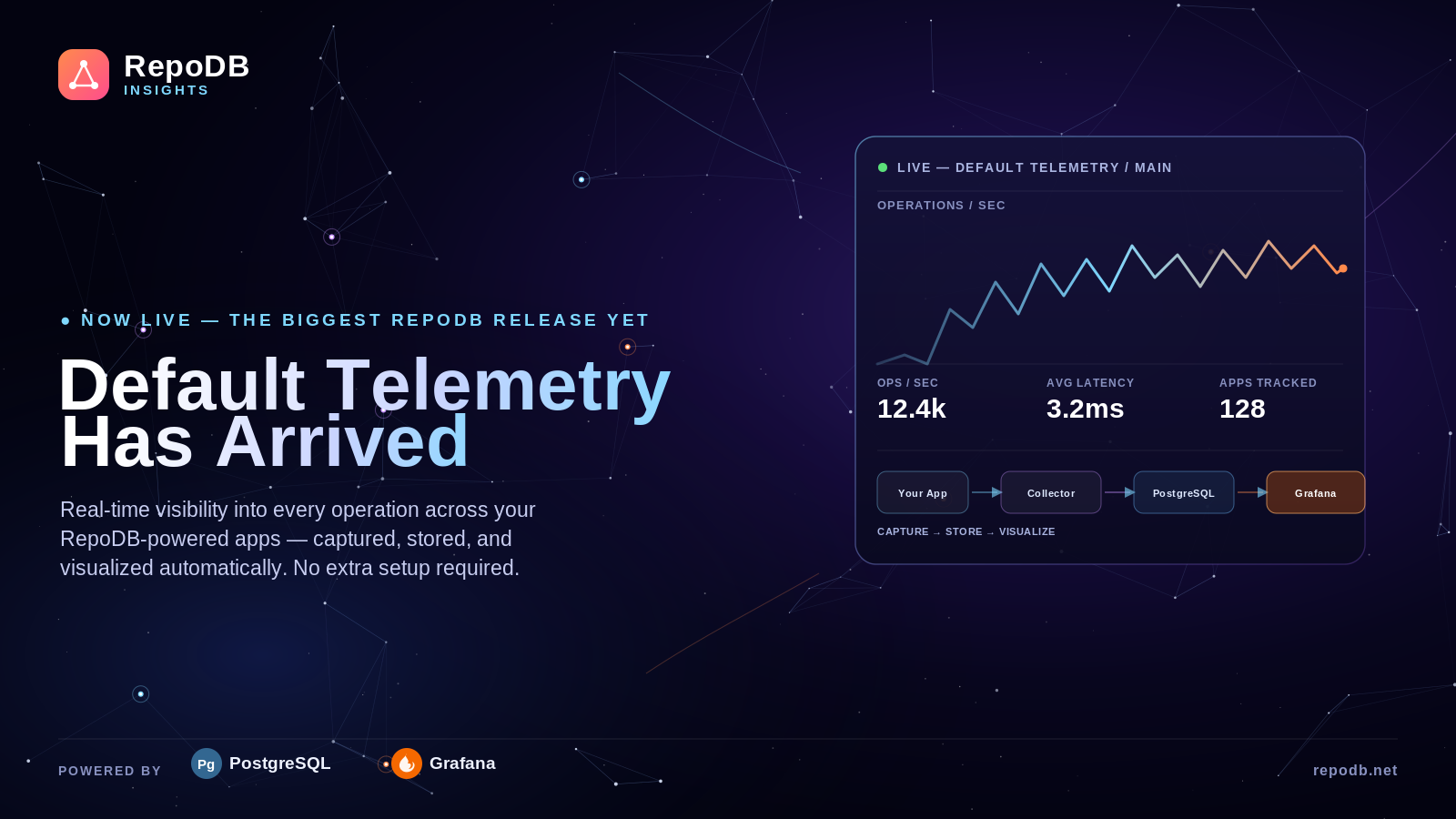
It comes with great and simple dashboards visualization.
Simply docker compose up -d the docker-compose.yml and .env files and integrate your code.
GlobalConfiguration
    GlobalConfiguration
    .Setup(new GlobalConfigurationOptions { UseRegisteredGlobalTraces = true })
    .UseDefaultTelemetry(new DefaultTelemetryOption("<YOUR_APPLICATION_NAME>")
    {
        Host = "https://your-collector-host",
        ApiKey = "YOUR_API_KEY",
        Group = "<YOUR_APPLICATION_GROUP>",
        Frequency = TimeSpan.FromSeconds(1)
    });
It's intentionally lightweight rather than OTel-based, keeping RepoDB's thin, fast footprint intact. See the package README for configuration options, the full OTel rationale, and the roadmap.
We welcome contributions of all kinds — code, docs, bug reports, and ideas.
- Browse for-grabs issues and submit a PR.
- File a new issue to start a discussion.
- Contribute to the documentation site.
- Blog about it, share it, or simply give us a ⭐
- GitHub Issues — bug reports and feature requests.
- Microsoft Teams — live Q&A and community chat.
- X / Twitter — news and updates.
Read our contibuting page for more.
- Building the Solutions
- Coding Standards
- Issuing a Pull Request
- Reporting an Issue
- Support Policy
- Limitations
Thanks to all contributors and to Scott Hanselman for featuring RepoDB.
Tools and projects that make RepoDB possible: GitHub, Microsoft Teams, Moq, NuGet, RawDataAccessBencher, Shields, Microsoft.Data.Sqlite, System.Data.SQLite.Core, MySql.Data, MySqlConnector, Npgsql.
Apache-2.0 — Copyright © 2018 Michael Camara Pendon