

| description | Native Home Assistant Integration for Gobel Power Battery BMS |
|---|
Note: Looking for the ioBroker version? Check out the ioBroker Gobel BMS Monitor Adapter.
The ultimate Home Assistant custom integration for smart energy storage monitoring. This integration communicates directly with your LiFePO4 battery banks running Pace BMS, JK BMS, or TDT BMS hardware, registering them as native entities in Home Assistant.
Unlike the previous Add-on version, this integration does not require an MQTT broker. It sets up device and sensor entities directly inside Home Assistant, supporting multi-device setups (e.g. multiple battery banks with different IPs/serial ports) via the visual configuration UI.
- Multi-BMS Compatibility: Native support for Pace BMS (RS232/RS485/WiFi), JK BMS (55AA passive protocol), and TDT BMS (RS232).
- Versatile Connectivity Options: Connect directly via RS232-USB, RS232-to-Ethernet, RS232-to-WiFi, RS485-to-Ethernet, or RS485-to-WiFi.
- Direct Integration (No MQTT Required): Create native Home Assistant sensors and binary sensors directly for cell voltages, capacity, current, and faults.
- Dynamic Multi-Device & Grouping: Group overall metrics (Total SOC, Total Voltage, Total Current, etc.) under an aggregate Device, and create child Devices for each physical parallel-connected slave battery pack (fully compatible with Master-Slave dial structures).
- Config Flow GUI Setup: Easy setup via the HA "Devices & Services" menu. No YAML editing, command-line arguments, or manual configuration file creation required.
Online Home Assistant Dashboard Generator
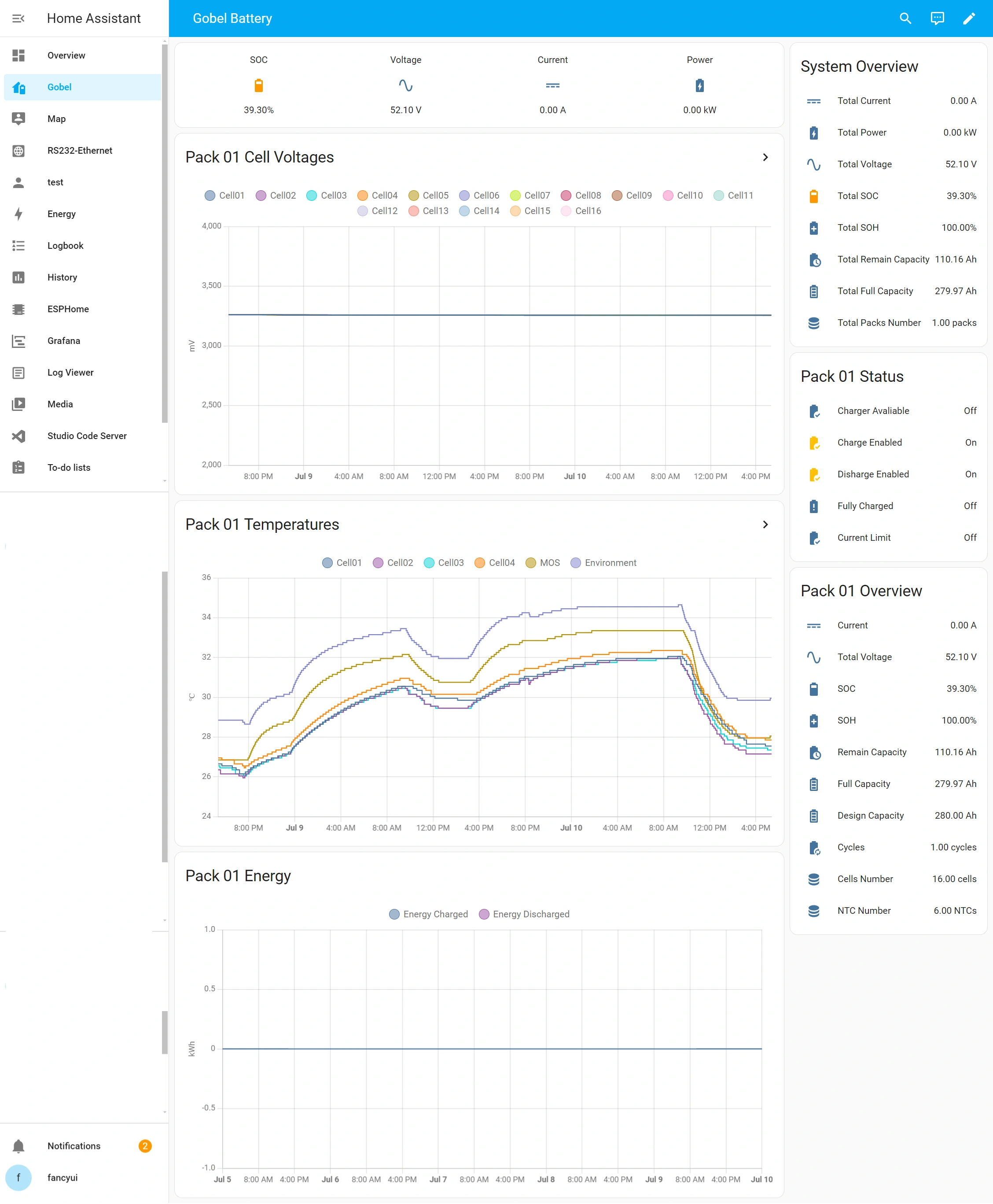

- RS232-WIFI/Ethernet module or RS232-USB cable needed
- Connection Port: Connect Home Assistant to the RS232 or WIFI interface of the Pace BMS.
- Master BMS: The connection must be made to the Master BMS.
- DIP Switch Settings: Ensure the DIP switch (Dial) of the master BMS is set to 1000.
- RS485-WIFI/Ethernet module or RS485-USB cable needed
- Connection Port: Connect Home Assistant to the RS485B or RS485C interface of the JK BMS.
- Master BMS: The connection must be made to the Master BMS.
- DIP Switch Settings: Ensure the DIP switch (Dial) of the master BMS is set to 0000.
- Ensure HACS (Home Assistant Community Store) is installed.
- Go to HACS -> Integrations in Home Assistant.
- Click the three dots in the top-right corner and select Custom repositories.
- Paste the URL of this repository:
https://github.com/fancyui/Gobel-Battery-HA-Integration - Select Integration as the Category and click Add.
- Find the Gobel Battery Monitor integration in HACS and click Download.
- Restart Home Assistant.
- Download the latest release or clone the repository.
- Copy the
custom_components/gobel_batterydirectory into your Home Assistant/config/custom_components/folder. - Restart Home Assistant.
- In Home Assistant, go to Settings -> Devices & Services.
- Click Add Integration in the bottom-right corner.
- Search for Gobel Battery Monitor and click to set it up.
- Follow the configuration steps on-screen to choose your BMS type, connection method (Network vs. Serial), and input connection parameters.
- If you have multiple battery banks with different IPs/ports, simply click Add Integration again to configure additional instances.