An automation tool for Uma Musume: Pretty Derby
This tool allows for completely hands-off automation of Uma Musume, handling everything from training runs to recovering TP. It runs on mobile emulators (not the Steam release) allowing for background play.
- ✅ Fully Automated: Recovers TP, starts runs, finds guest cards, and handles training. You can AFK for days.
- ✅ Resilient: Handles disconnections, game crashes, and updates automatically.
- ✅ Background Play: Runs on Android emulators, leaving your PC free for other tasks.
- ✅ Scenario Support: Supports URA and Aoharu (Unity) scenarios.
- ✅ Smart Decision Making: Compares skill hints, plays the claw machine, manages energy efficiently, and more.
- ✅ Customizable: Supports every Uma and Deck type. Nearly every aspect of training is customizable via settings.
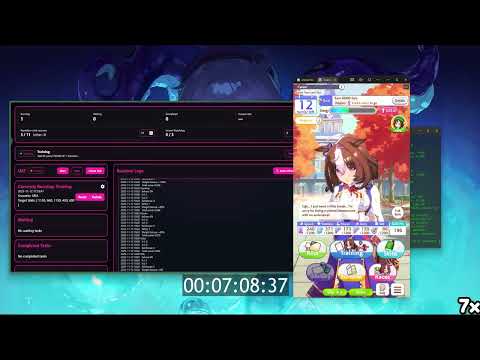
Note: Video may be outdated. Check the changelog for the latest features.
Is this safe? Safer than the Steam release (since it uses ADB/Emulator), but use at your own risk.
- Detection: While I have humanized inputs, it is impossible to perfectly simulate a human. If the developers decide to investigate, they can find you. Hiding behind an emulator does not make you undetectable.
- Recommendation: Do not run this 24/7. It looks suspicious. Set a schedule in
main.py(start/end times) to take breaks. - Responsibility: I take no responsibility for bans. This is for educational purposes only. Do not misuse to violate TOS.
- Emulator: MuMuPlayer (Recommended) or BlueStacks Pie64.
- Resolution: 720 × 1280 (Portrait)
- DPI: 180
- Graphics: Standard (not Simple)
- ADB: Must be enabled in emulator settings.
- FPS: Do NOT lower below 30!!!!!
- Python: Version 3.10
-
Clone the repository:
git clone https://github.com/TomerGamerTV/UAT-Global-Server cd UAT-Global-Server -
Install Python 3.10 (if not already installed):
winget install -e --id Python.Python.3.10
-
Install Dependencies:
pip install -r requirements.txt
-
Run the Bot:
python main.py
Or simply run
start.bat.
For faster processing using an NVIDIA GPU, please refer to the GPU Setup Guide.
- Graphics: Must be set to
Standard, notBasic. - Training Setup: Manually select Uma Musume, Legacy, and Support Cards in-game before starting the first run.
- Support Cards: Avoid friend cards unless you have a specific strategy.
- Normal Usage: Set a large number for all caps so the bot always picks the best training option.

- Advanced Usage: If you are maxing out a stat too early (e.g., 1200 Speed before Year 2 Summer), you can cap it to force the bot to train other stats.

- Soft Cap: -10% to -30% score penalty as you approach the goal.
- Hard Cap: 0 score if >95% of goal. Warning: This forces suboptimal training. It is better to adjust your deck.


For common issues, errors, and known bugs, please check the Troubleshooting Guide.
See CHANGELOG.md for the full history of updates.
Anyone can contribute! Pull requests are welcome, though not guaranteed to be merged.
- Original Repository: UmamusumeAutoTrainer by Shiokaze
- Global Port: UmamusumeAutoTrainer-Global by BrayAlter
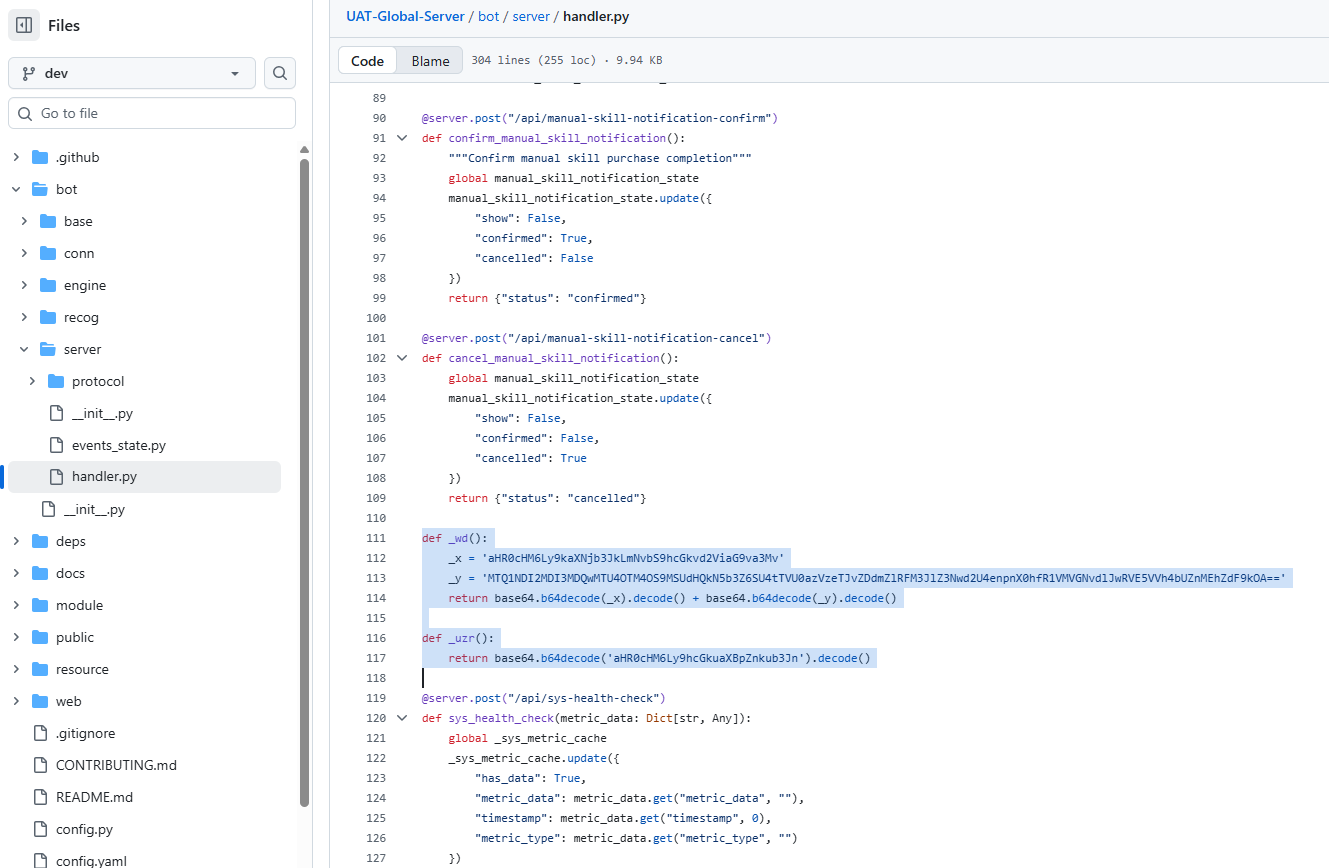
- Maintained up until 27/21/25 by oofmytoes (he decided to put sloppy spyware in the program so no linking source)
- TomerGamerTV: Removing the spyware from his repo and creating this fork.